Figma Config 2025 wasn’t just about design it redefined how marketers, product teams, and developers build together. From the AI-powered Figma website builder to seamless UI collaboration tools, here’s what’s next in cross-functional creation.
Meet the Game Changers from Figma Config 2025
Here’s a quick overview of Figma’s biggest additions, designed to empower both creatives and cross functional teams:
- Figma Make: AI powered engine that allows natural language design just type and watch layout changes happen
- Prompt to App: Converts plain prompts into functional app prototypes, accelerating ai design tools 2025
- Figma Draw: A new home for expressive illustrations, patterns, and brush strokes in figma
- Grid: Enhanced figma responsive layout using flexible 2D figma grid layout tools
- Figma Buzz: A platform for scaling branded templates figma with content control and AI support
- Figma Sites: A built in figma website builder that enables end to end figma to website publishing
Figma Make: Natural Language Meets Design
Imagine saying, “Place a newsletter box under the hero section” and it happens in real time. That’s the power of figma make. Built for speed, this feature uses ai tools in figma to convert plain English into editable design elements. Whether you’re adjusting margins or swapping out imagery, it’s done with a prompt. By eliminating repetitive UI adjustments, figma make boosts output, especially for fast paced environments. Startups and agile teams can turn around iterations in hours not days cutting down the design dev handoff.
Figma Sites: The Future of the Figma Website Builder
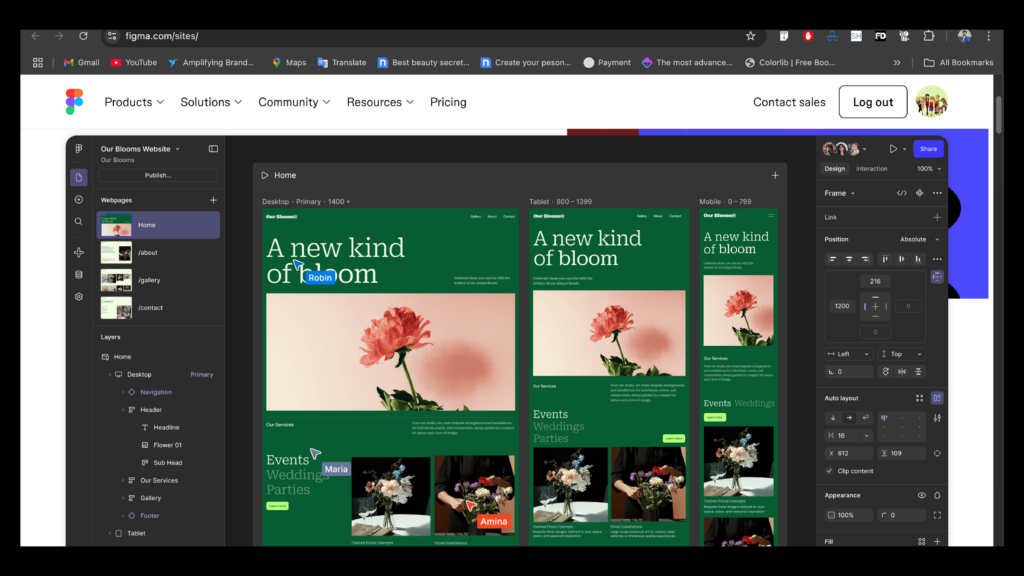 Figma Sites: The Future of the Figma Website BuilderThe most anticipated innovation? Figma Sites. It’s not just a figma website builder it’s an ecosystem. You can now publish a website from figma, design your UI, and launch a live site all without writing a line of code or using third party tools. Whether you’re managing a marketing landing page or a multi page product site, figma publish website functionality includes:
-
Figma responsive layout tweaks for mobile, tablet, and desktop
-
On page animations and transitions, similar to premium site builders
-
Hosting, custom domains, and site versioning built in
-
Easy migration for those working on website to figma or figma to website projects
For teams aiming to unify design and deployment, this is a dream come true.
Figma Draw: All in One Visual Expression
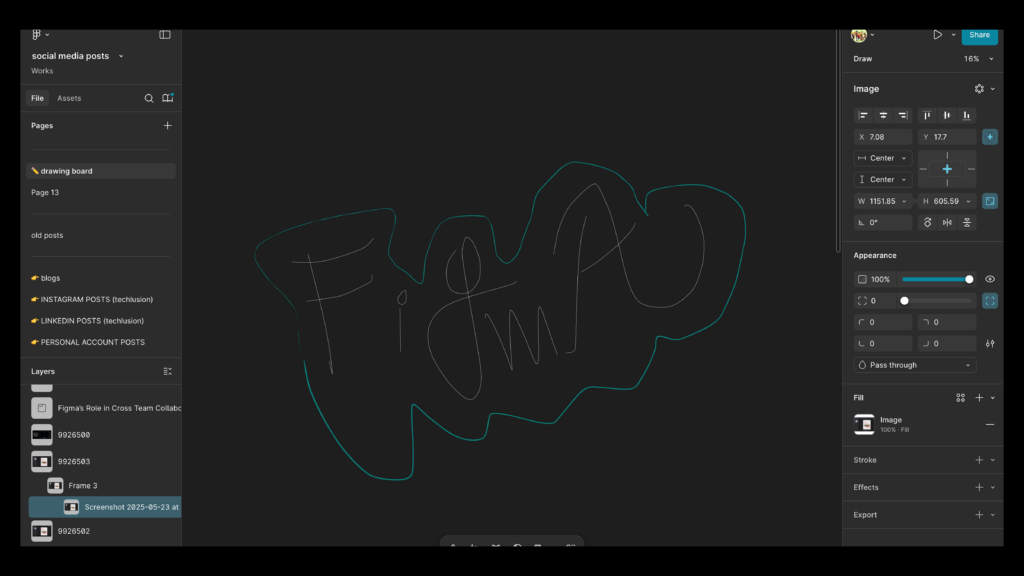 Figma Draw: All-in-One Visual ExpressionSay goodbye to switching apps. Figma Draw introduces built in illustration features rivaling traditional tools like Illustrator. It's designed for visual creatives who want custom illustration, pattern fills, and dynamic textures directly in their design flow. Features include:
-
Drawer figma lasso and freehand sketching
-
Shape builder for combining vector paths
-
Brush strokes in figma with adjustable thickness and style
-
Text on a curve for branding and identity work
-
Noise and grain effects for a textured finish
From wireframes to storyboards, figma draw enhances expressiveness without breaking your workflow.
Grid: Finally, Layout That Feels Like Code
Figma has finally delivered the long requested figma grid layout enhancements. Unlike its prior Auto Layout system, Grid supports true two dimensional responsiveness, mirroring css grid in figma logic. This means:
-
Card style layouts are easier to manage
-
Grids auto adjust across screen sizes
-
Developers can reuse layout specs directly from the design
Figma responsive layout now feels more like front end development a big win for consistent handoffs.
Figma Buzz: Marketing Made Scalable
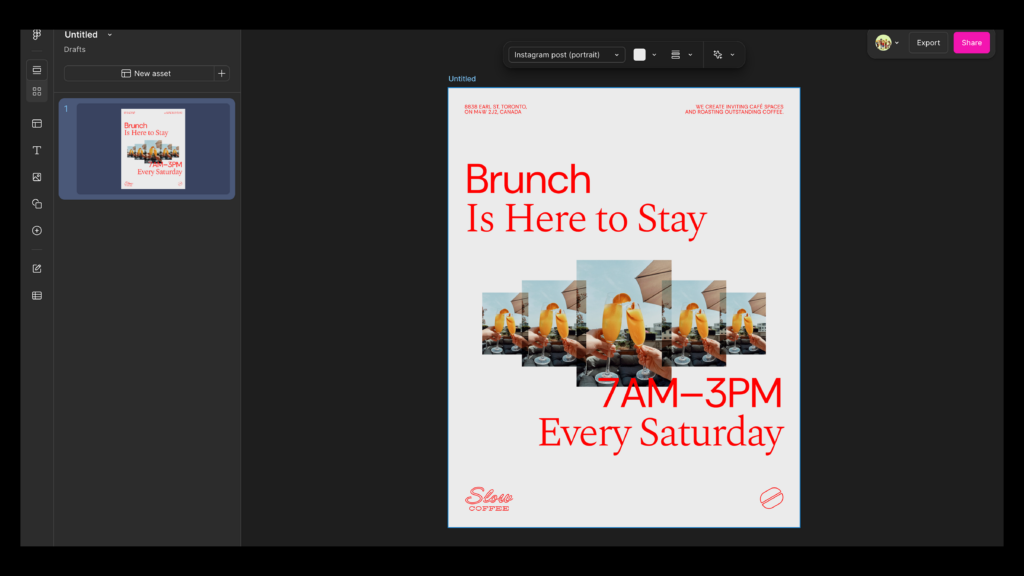 Figma Buzz: Marketing Made ScalableIf you're looking for figma for marketers, Figma Buzz was made with you in mind. It allows content and brand teams to create locked templates that others can edit without breaking design systems. Buzz gives you:
-
Full control over branded templates figma
-
Text/image updates via spreadsheet uploads
-
Figma ai content generator for headlines, CTAs, and more
-
Role specific editing ideal for PMs and social media teams
This makes Buzz a real contender in the figma content generation space and a smarter alternative to tools like Canva for enterprise use.
AI Tools Everywhere You Look
Figma is evolving into an ai design tools 2025 platform. Beyond Figma Make, AI now powers features across the board:
-
Auto generated UX copy
-
Prompt based image editing
-
AI assisted workflows in FigJam, Slides, Sites, and Buzz
These aren’t gimmicks. They reduce the busywork and let you focus on high impact decisions all while keeping human creativity front and center.
Richer Annotations & Plugin Support
To further support collaborative ui tools, Figma has revamped how feedback and annotations work:
-
Annotations appear inline, not just in Dev Mode
-
Color coded comments blue for copy, red for code
-
Plugin API updates for better structured reviews
-
Tools that match the flexibility of the best figma plugins 2025
Distributed teams can collaborate without chaos no more missed notes or version confusion.
Smarter Pricing & Roles
Figma’s updated model introduces a more affordable and inclusive pricing structure:
-
New Content Seat $8/month for non designers using Buzz, Sites, or FigJam
-
Full and Dev seats get full beta access
-
Centralized billing and usage analytics for enterprise users
It reflects Figma’s goal to democratize design without compromising power or structure.
Final Thoughts: The Future Is the Figma Website Builder
The 2025 Figma rollout confirms what many of us suspected that Figma is no longer just a design tool. With features like figma make, figma draw, figma responsive layout, and the revolutionary figma website builder, it has become an end to end platform for building and shipping digital experiences. Whether you're a designer launching a site in minutes, a PM collaborating on branded templates figma, or a developer pulling specs from css grid in figma, these tools are here to change the way we build. Permanently. Want to launch AI powered designs or websites without leaving your creative flow? At Techlusion, we help teams implement bleeding edge tools like Figma’s latest suite to scale faster and work smarter.
Contact Us Today:
 Contact Us Today: