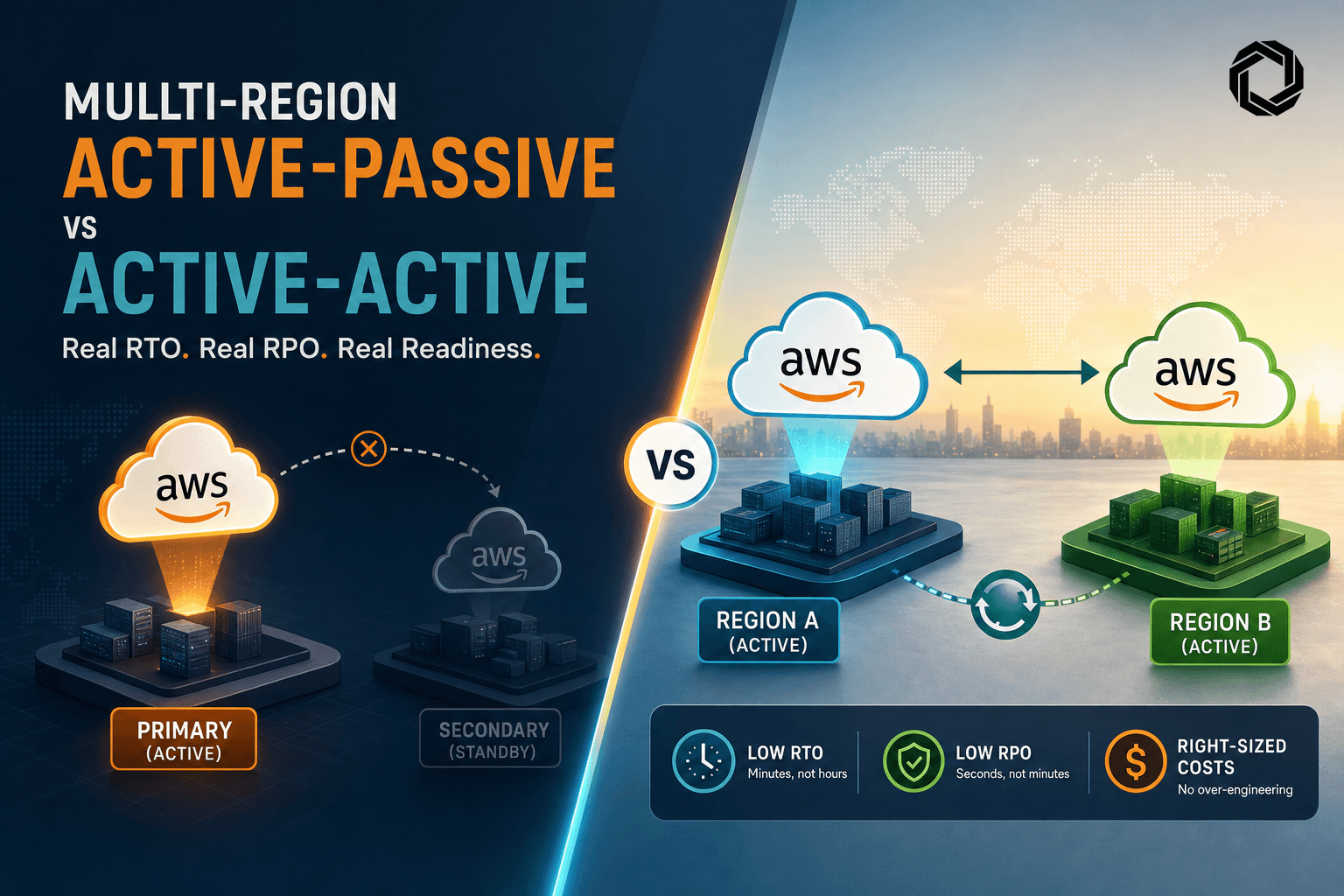
We had to push a high traffic SaaS from single region to multi region inside one quarter with a 99.95 to 99.99 target. This is the playbook that worked, with the numbers we actually measured and the costs that mattered.
What 99.95 and 99.99 Actually Mean
Do the math first so you know your error budget.
- 99.95 monthly downtime budget is about 21.6 minutes.
- 99.99 monthly downtime budget is about 4.3 minutes.
Single region multi AZ can hit 99.95 for many apps if you do not depend on fragile regional services. The traps that blow the budget:
- Regional control plane events that block scaling or new ENIs. You can ride existing capacity but not scale.
- A shared dependency that lives in one region, like a single RDS writer or a regional KMS incident. Your app might be multi AZ but your state is not.
- DNS TTLs set to 300 seconds or higher. That alone can eat the 4.3 minute budget.
- Client caches or mobile SDKs pinning endpoints to an IP. DNS failover will not help you if the client never asks again.
If you need 99.99, plan for regional evacuation and keep TTLs low. If you only need 99.95, an aggressive multi AZ design with tested backups might be enough.
RTO and RPO by Architecture Pattern
These are the numbers we have seen repeatedly on AWS, with caveats called out.
- Single region, multi AZ
- RTO for AZ failure: near zero if you use ALB or NLB and spread capacity. Connection level impact is seconds.
- RTO for region failure: infinite unless you can rebuild elsewhere. Realistically many hours.
- RPO: depends on backups. Usually minutes to hours.
- Fit: 99.9 to 99.95 if you accept rare regional events as budget killers.
- Active passive, warm standby in second region
- DNS failover with Route 53, health checks every 10 seconds, 3 failures to mark unhealthy, TTL 30 seconds.
- Observed failover detect time: 30 to 60 seconds for health check convergence. Add TTL, so 60 to 90 seconds total for most clients.
- RTO: 1 to 5 minutes if the passive stack is pre scaled and ready. 5 to 15 minutes if you scale on demand.
- RPO depends on datastore:
- Aurora Global Database: typical replication lag under 1 second, RPO under 1 second, cross region failover 30 to 120 seconds once initiated.
- RDS cross region read replica: asynchronous, RPO seconds to minutes, promotion 10 to 30 minutes including DNS and app connection drain.
- DynamoDB Global Tables: replication usually under 1 second per item, conflict resolution last writer wins, RPO under a second in steady state.
- S3 Cross Region Replication: with Replication Time Control, 15 minute SLA for 99.99 percent of objects, so plan RPO minutes.
- Fit: 99.95 easily, 99.99 only with very low TTL and either Aurora Global or DynamoDB. You must practice failover.
- Active active, two regions serving traffic
- Use latency based routing or weighted routing. Keep both regions hot.
- RTO for a regional failure: seconds to a minute depending on health check and TTL. Users shift to surviving region.
- RPO depends on datastore and conflict strategy. Aurora Global with write forwarding can approach RPO under 1 second per schema constraints. DynamoDB needs idempotent writes and careful key design to avoid conflicts.
- Hidden cost: inter region data transfer and write amplification. You pay for duplicates across regions.
- Fit: 99.99 is realistic if you design for split brain and keep TTL at or under 30 seconds.
We learned to budget detection time plus TTL plus connection drain. For example, Route 53 health checks at 10 seconds with 3 unhealthy thresholds give about 30 seconds to consider a target down. With a 30 second TTL, many clients move within one minute, but mobile clients and resolvers that ignore TTLs will stretch that into several minutes.
DNS and Failover Patterns That Work
Route 53 can do failover, weighted, latency based, and geolocation routing. The common choices:
- Active passive: Failover records plus health checks. Simple and predictable.
- Active active: Latency based routing for user experience, optionally with health checks per region.
- CDN front door: CloudFront origin failover or two origins per distribution. Good for static and read heavy APIs. It hides your DNS TTLs and uses its own health.
Parameters we use in production:
- A record TTL: 20 to 60 seconds. 30 seconds is a good start. We dropped from 300 seconds and saw a big difference.
- Health check interval: 10 seconds. Failure threshold: 3. That is usually enough to avoid flapping while staying fast.
- Health endpoint: independent path like /healthz that does a minimal dependency check and returns within 200 ms.
Terraform that has been reliable for us for active passive with ALB aliases:
# Route 53 active-passive with health checks
variable "zone_id" { type = string }
variable "domain" { type = string }
variable "primary_alb_dns" { type = string }
variable "secondary_alb_dns" { type = string }

resource "aws_route53_health_check" "primary" {
  fqdn              = var.domain
  port              = 443
  type              = "HTTPS"
  resource_path     = "/healthz"
  request_interval  = 10
  failure_threshold = 3
}

resource "aws_route53_record" "primary" {
  zone_id = var.zone_id
  name    = var.domain
  type    = "A"
  set_identifier = "primary"
  alias {
    name                   = var.primary_alb_dns
    zone_id                = "Z35SXDOTRQ7X7K" # ALB zone id region-specific
    evaluate_target_health = true
  }
  failover_routing_policy { type = "PRIMARY" }
  health_check_id = aws_route53_health_check.primary.id
  ttl = 30
}

resource "aws_route53_record" "secondary" {
  zone_id = var.zone_id
  name    = var.domain
  type    = "A"
  set_identifier = "secondary"
  alias {
    name                   = var.secondary_alb_dns
    zone_id                = "Z35SXDOTRQ7X7K" # ALB zone id region-specific
    evaluate_target_health = true
  }
  failover_routing_policy { type = "SECONDARY" }
  ttl = 30
}
For active active, change failover_routing_policy to latency_routing_policy and remove the explicit health check, relying on evaluate_target_health against the ALB target groups.
We test failover with a real client from multiple networks. Do not trust a single dig from your laptop. Drive a small synthetic from three vantage points and record time to first 200 after you break the primary. Route 53 has a propagation API, but it is the resolvers and clients that matter.
A small script we use to simulate slashing traffic to primary with weighted routing:
ZONE_ID="Z123456789"
RECORD="api.example.com"
PRIMARY_ID="primary"
SECONDARY_ID="secondary"

# Set weighted 0 to push all traffic to secondary for a game day
aws route53 change-resource-record-sets --hosted-zone-id "$ZONE_ID" --change-batch '{
  "Comment": "Shift to secondary",
  "Changes": [
    {
      "Action": "UPSERT",
      "ResourceRecordSet": {
        "Name": "'