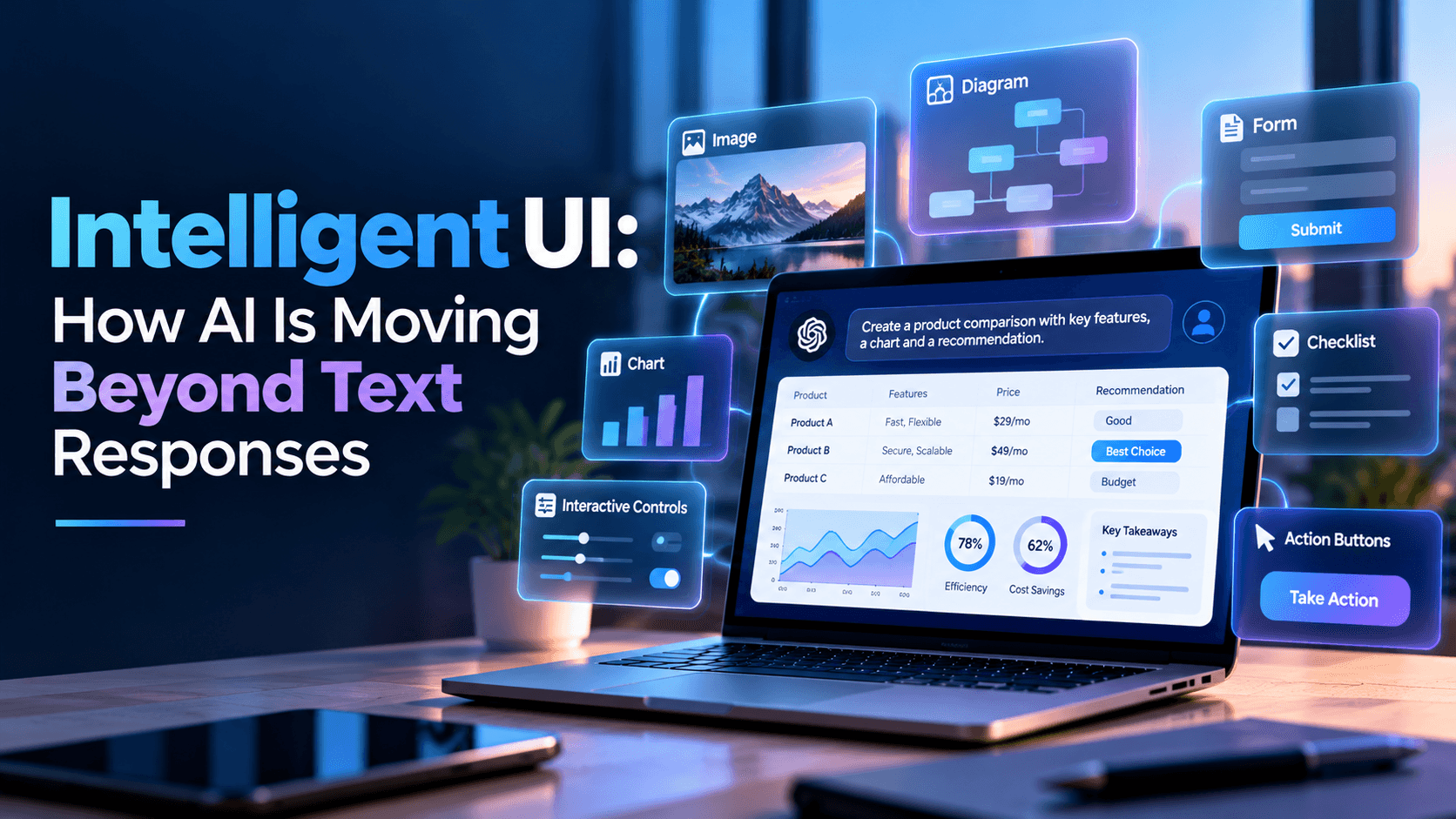
Intelligent UI moves AI beyond static chat by combining text, visuals, controls, and interactive experiences that adapt to what users are trying to accomplish.
What Is Intelligent UI?
Intelligent UI is an interface approach where AI determines not only what information to provide, but also how that information should be presented.
A traditional AI response might return several paragraphs.
An Intelligent UI could instead decide that the task is better served by:
- A comparison table
- An interactive chart
- A form
- A calculator
- A diagram
- Buttons
- A checklist
- A visual workflow
- A combination of text and interactive components
OpenAI describes Intelligent UI as allowing ChatGPT to combine text, visuals, and interactive elements based on the question being asked.
The important idea is that the interface itself becomes part of the AI response.
Why Text-Only AI Has Limitations
Text is extremely flexible, but it is not always the best interface.
Imagine asking AI:
“Compare these three pricing options.”
A paragraph may technically contain the answer.
But a side-by-side comparison is easier to understand.
Similarly:
“Help me calculate my project budget.”
A written explanation may work.
An interactive calculator could be much more useful.
Or:
“Explain how this system architecture works.”
A visual diagram may communicate the concept faster than several paragraphs.
Intelligent UI allows the presentation layer to adapt to the task rather than forcing every request into the same conversational format.
The Interface Can Be Generated Around the Task
Traditional software interfaces are usually predefined.
Designers and developers decide:
- Which pages exist
- Which buttons appear
- Where information is displayed
- Which forms users complete
- How users navigate between actions
Generative interfaces introduce a different model.
The system can potentially create or select an interface dynamically based on what the user wants to accomplish.
Google's Gemini experiments demonstrate this idea with Visual Layout, which creates rich visual responses, and Dynamic View, which can generate custom interactive interfaces for specific prompts.
Instead of navigating through a fixed menu, a user may simply describe the outcome they want.
The software then presents an interface appropriate for that task.
AI Responses Can Become Interactive Tools
One of the most interesting aspects of Intelligent UI is the shift from answering to providing something usable.
OpenAI's current Intelligent UI examples include interactive experiences such as:
- Calculators
- Bill splitters
- Games
- Diagrams
- Charts
- Adjustable controls
These can appear directly inside a conversation instead of requiring users to move to a separate application.
This changes the role of AI.
Instead of saying:
“Here is how you can calculate it.”
AI can potentially provide:
“Here is the calculator—change the values and explore the result.”
The distinction may sound small, but it represents a major change in user experience.
Intelligent UI Could Change SaaS Products
Most SaaS products are built around fixed dashboards.
Users navigate through:
Menu → Page → Filter → Form → Action
That design works, but users need to understand how the software is organized.
AI-driven interfaces could introduce another approach.
A user could ask:
“Show me customers whose usage dropped significantly this month.”
Instead of explaining where the report is located, the product could generate a relevant table or dashboard.
The user might then say:
“Group them by industry.”
The interface could update.
Then:
“Show only accounts worth more than $50,000.”
The experience becomes increasingly goal-driven rather than navigation-driven.
The traditional dashboard may still exist, but AI becomes an additional interface layer on top of the product.
Intelligent UI Can Reduce Interface Complexity
As products grow, their interfaces often become complicated.
More features create:
- More menus
- More settings
- More dashboards
- More filters
- More forms
- More navigation
Eventually, users may struggle to find features even when the software technically supports what they need.
Intelligent interfaces could reduce some of this complexity.
Instead of exposing every possible feature at once, the system can surface the controls relevant to the current task.
For example:
Marketing user → campaign controls
Finance user → financial metrics
Developer → technical diagnostics
Executive → high-level business summary
The interface could adapt based on intent rather than presenting the same screen to every user.
AI Does Not Eliminate UI/UX Design
Intelligent UI does not make product designers unnecessary.
In many ways, it makes design more challenging.
Traditional designers create a defined set of screens.
AI-generated interfaces introduce a much larger number of possible states.
Teams still need to define:
- Design systems
- Interaction patterns
- Accessibility rules
- Brand guidelines
- Permission boundaries
- Safe actions
- Data visualization standards
- Error states
- Mobile behavior
The difference is that designers may increasingly create systems and rules rather than specifying every possible screen manually.
Good AI interfaces still require consistency.
A dynamically generated interface that changes unpredictably can quickly become confusing.
The goal is adaptation without sacrificing usability.
Trust, Accuracy, and Control Become Critical
Generating an interface dynamically creates new risks.
If AI generates a paragraph incorrectly, the user may receive incorrect information.
If AI generates an incorrect button or action, the consequence may be more serious.
Imagine an AI-generated financial interface confusing:
Preview payment
with
Send payment
Or an infrastructure interface presenting the wrong production control.
Products using Intelligent UI therefore need strong boundaries around what generated interfaces are allowed to do.
Important safeguards may include:
- Permission checks
- Confirmation steps
- Human approval
- Clear action labels
- Audit logs
- Input validation
- Role-based access
- Reversible actions
The more interactive AI becomes, the more important predictable product behavior becomes.
Businesses Should Measure Whether Intelligent UI Actually Helps
A visually impressive interface does not automatically create a better product.
Businesses should evaluate Intelligent UI using practical measures.
For example:
Task completion time: Can users finish tasks faster?
Navigation reduction: Do users need fewer steps?
Error rate: Does the interface reduce or increase mistakes?
Feature discovery: Can users access capabilities they previously struggled to find?
User satisfaction: Do people prefer adaptive experiences?
Support volume: Do users require less assistance?
The goal should not be to generate interfaces simply because AI can.
The interface should improve the user's ability to accomplish something.
Intelligent UI Could Change How We Think About Software
Software has traditionally required users to learn the interface.
They learn where features are located.
They learn how menus work.
They learn which screens contain the information they need.
Intelligent UI introduces the possibility of reversing that relationship.
Instead of:
User adapts to software
the experience can increasingly become:
Software adapts to user intent
OpenAI describes Intelligent UI as a step toward interfaces that can be shaped around what a person is trying to accomplish.
Google's work on generative interfaces reflects a similar direction.
This does not mean traditional applications, dashboards, or websites will disappear.
More likely, future products will combine:
Traditional UI + Conversational AI + Generative UI + Automation + AI Agents
The most successful products will probably not use AI everywhere.
They will use it where adapting the interface makes the experience meaningfully simpler.
Conclusion
Intelligent UI represents a shift from AI that only generates information toward AI that can also shape the experience through which information is understood and acted upon.
Charts, controls, forms, diagrams, and interactive tools can make AI responses more useful than text alone.
For product teams, however, the opportunity is bigger than adding interactive components to a chatbot.
The deeper question is:
What happens when software no longer needs one fixed interface for every user and every task?
That could change how SaaS products, internal tools, analytics platforms, educational applications, and AI-native software are designed.
The future interface may not simply be a screen created once by a product team.
It may increasingly be an experience assembled around what the user needs at that moment.
How Techlusion Helps
Techlusion works across AI & Agentic Systems, UI/UX Design, Product Engineering, SaaS, Custom Software Development, and Data & Automation, making Intelligent UI especially relevant to the company's broader product-engineering focus.
As AI interfaces evolve, the challenge is not simply adding generative features.
It is designing AI-powered experiences that remain useful, consistent, secure, and easy to understand.
The future of AI products is not only about smarter models. It is also about smarter interfaces.